



 Photo & VideoPhoto & Video MergerPhotos & Videos Merger – Create Stunning Videos from Your Favorite MemoriesExplore app
Business app by Fenuku Kekeli
Passport Photo - ID & Visa
Start creating professional passport photos from home!


What it does
Take and format a passport or ID photo at home with iPhone
Start creating professional passport photos from home!
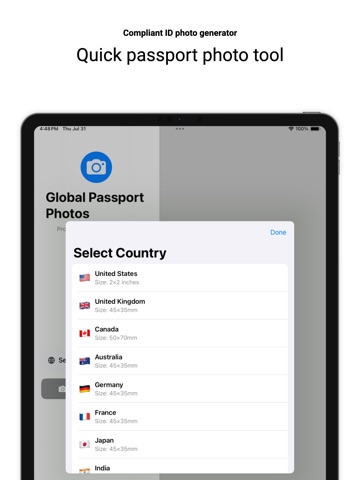
Passport Photo Maker helps you create, resize, and export compliant ID photos for passports, visas, and official documents in just a few taps. No need to visit a photo studio save time and money with this all-in-one ID photo tool.
From the App Store listing
A look inside
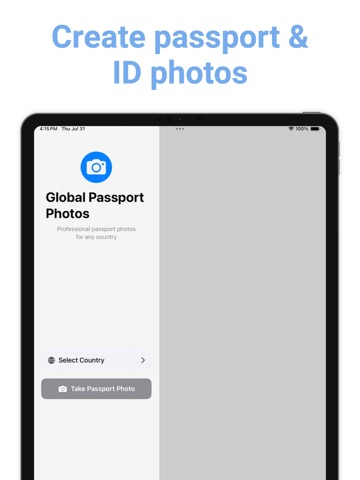
Official listing screenshots. Select an image to view it larger.
Use cases and capabilities
Tasks this app is listed for
These points come from the current App Store description.
- Passport Photo Maker helps you create, resize, and export compliant ID photos for passports, visas, and official documents in just a few taps. No need to visit a photo studio save time and money with this all-in-one ID photo tool.
Getting started
Check the listing, then try the app.
- Take or choose a portrait photo and use the app’s resize controls for the document you are preparing.
- Check the official photo requirements for the destination passport, visa, or ID before exporting; requirements differ by authority.
- Export the image and compare it with the issuing authority’s current rules before submitting it.
These steps follow the features in the current App Store description. Exact controls can change between versions.
Need task-specific steps? A guide in the original archive covers this app.
Common questions
About Passport Photo - ID & Visa
Will an app-generated photo automatically be accepted for a passport?
No. The app listing says it can create and resize ID photos, but acceptance depends on the issuing authority’s current requirements. For U.S. passports, the State Department requires an original, unedited photo; confirm the rules for your specific document before using an edited image.
Does the app support visa photos as well as passports?
The listing says it is intended for passports, visas, and other official documents, but it does not list country-specific dimensions or acceptance guarantees.
More in Business
Related apps
Photo & VideoPhoto & Video MergerPhotos & Videos Merger – Create Stunning Videos from Your Favorite MemoriesExplore app  UtilitiesPhoto Resizer - Resize ImagesPhoto Sizer makes it simple to resize, crop, compress, and convert images on your iPhone.Explore app
 Photo & VideoPhoto to Video Montage MakerTurn your photos and clips into beautiful slideshow videos in minutes.Explore app
 UtilitiesWatermark on Photos: StampPhotographers sending proofs to clients Realtors branding listing photos Designers and illustrators posting portfolio work Small businesses stamping product and catalog shots Creators protecting images before they…Explore app