


 UtilitiesContact Cleaner & DeleteClean up your address book in minutes.Explore app
Utilities app by Fenuku Kekeli
Phone Storage Cleaner -Cleanup
Smart cache cleaner & junk removal


What it does
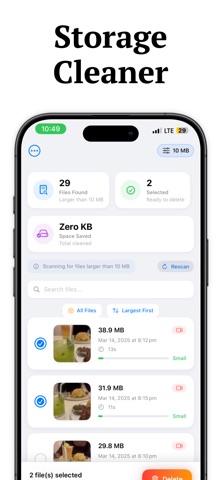
Review large photos and videos to free up iPhone storage
Smart cache cleaner & junk removal
Find & delete large files
Clean photos, videos & downloads
Optimize your storage automatically and keep your phone running smooth!
From the App Store listing
A look inside
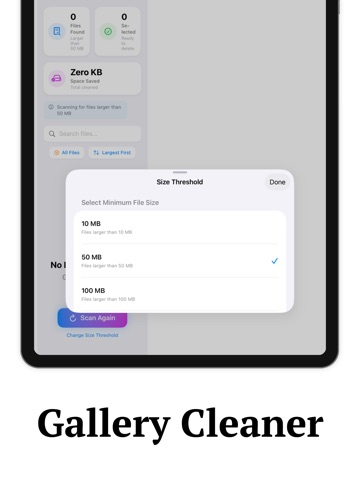
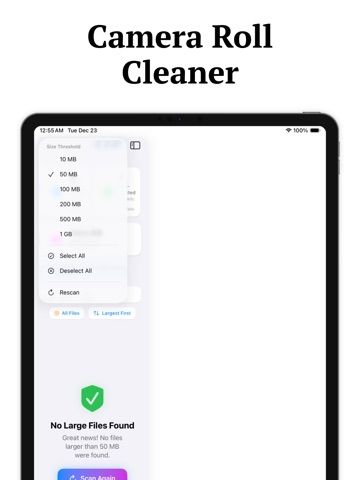
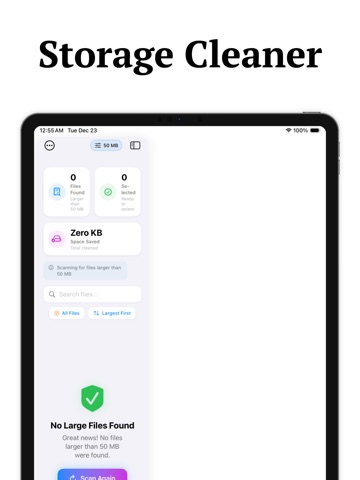
Official listing screenshots. Select an image to view it larger.
Use cases and capabilities
Tasks this app is listed for
These points come from the current App Store description.
- Find & delete large files
- Clean photos, videos & downloads
- Optimize your storage automatically and keep your phone running smooth!
Getting started
Check the listing, then try the app.
- Run the app’s scan and review the large files, photos, videos, downloads, or other items it identifies.
- Open each item you intend to remove and confirm that you no longer need it before using any cleanup action.
- Check available space in Settings > General > iPhone Storage to see what the system reports after cleanup.
These steps follow the features in the current App Store description. Exact controls can change between versions.
Common questions
About Phone Storage Cleaner -Cleanup
Can this app clear cache for every iPhone app?
The listing advertises cache and junk cleanup but does not specify which iOS storage categories it can access. Apple recommends reviewing storage in Settings > General > iPhone Storage; cached or temporary data may not be counted as app storage.
Will a storage cleaner make my iPhone faster?
The listing makes a performance claim, but it does not provide evidence that deleting files speeds up every iPhone. Review storage and remove files you recognize and no longer need.
More in Utilities
Related apps
UtilitiesContact Cleaner & DeleteClean up your address book in minutes.Explore app  UtilitiesDelete Contacts: Swipe CleanerClean duplicate contacts in minutes — swipe, review, and organize your address book without the clutter.Explore app
 UtilitiesVideo file Size CompressorVideo Compressor Pro - Shrink Videos, Save Space!Explore app
 UtilitiesZip File & Media CompressorWhether you need a ZIP opener, a RAR extractor, or a powerful video compressor, our app handles everything with speed and security.Explore app