




 SportsSwimming Lap TimerTrack your swimming laps, time, and performance with ease.Explore app
Utilities app by Fenuku Kekeli
Stage Timer: Performance Timer
The Ultimate Stage Timer for Every Scenario


What it does
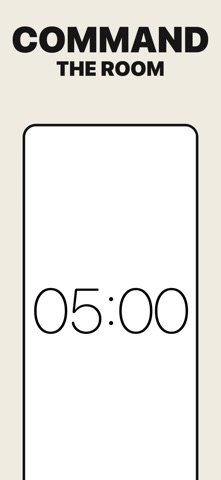
Multi-stage presentation timer with full-screen display, colors, and sounds
The Ultimate Stage Timer for Every Scenario
Whether you're presenting, teaching, coaching, or working out Stage Timer helps you stay perfectly on time. Create customizable multi-stage timers with sounds, colors, full-screen display, and more.
From the App Store listing
A look inside
Official listing screenshots. Select an image to view it larger.
Use cases and capabilities
Tasks this app is listed for
These points come from the current App Store description.
- Whether you're presenting, teaching, coaching, or working out Stage Timer helps you stay perfectly on time. Create customizable multi-stage timers with sounds, colors, full-screen display, and more.
Getting started
Check the listing, then try the app.
- Create a multi-stage timer and set the duration for each segment of your presentation, lesson, or workout.
- Choose the colors and sound cues you want, then open the full-screen view so the timer is easy to read.
- Run a short test with the device volume and display settings you plan to use before relying on the timer at an event.
These steps follow the features in the current App Store description. Exact controls can change between versions.
Common questions
About Stage Timer: Performance Timer
Can I use several stages in one timer?
Yes. The listing describes customizable multi-stage timers, so you can set up more than one segment for a session.
Can the timer fill the screen?
The listing describes a full-screen display with color and sound options for live timing.
More in Utilities
Related apps
SportsSwimming Lap TimerTrack your swimming laps, time, and performance with ease.Explore app  UtilitiesPomodoro Focus Timer -StudieAchieve peak focus with Studie – Pomodoro Focus Timer.Explore app
 Health & FitnessExercise Timer - HIIT IntervalTrain smarter and with your personal HIIT & Gym Timer.Explore app
 SportsChess Clock: Chess Game TimerThe perfect chess clock for casual games, tournaments, and competitive play.Explore app