


 UtilitiesTeleprompter: Video & ScriptsSpeak with confidence every time.Explore app
Photo & Video app by Fenuku Kekeli
Video Teleprompter - On Camera
Transform your videos into clear, readable captions with Video Captioning.


Check the current listing: The App Store title says “Video Teleprompter - On Camera” and its subtitle says “Script Reader For Presentation,” but the current description covers video captions and subtitles. The controls you need are not confirmed by that mismatch; review the latest listing before downloading.
What it does
Video caption editor for iPhone with subtitle styling and export
Transform your videos into clear, readable captions with Video Captioning. Whether you're creating content for social media, presentations, tutorials, interviews, or personal projects, the app makes it easy to generate and edit subtitles directly from your videos.
Designed for creators, students, professionals, and everyday users, Video Captioning helps improve accessibility, viewer engagement, and content clarity without complicated tools or editing experience.
Automatically generate captions from video audio
Edit subtitles easily with a simple timeline editor
Customize caption text, size, color, and style
Export videos with burned-in subtitles
Support for multiple video formats
processing with smooth performance
From the App Store listing
A look inside
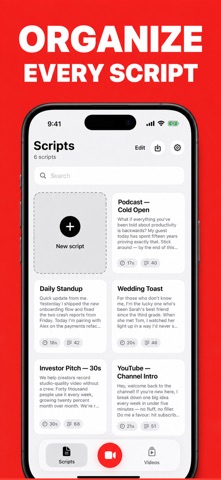
Official listing screenshots. Select an image to view it larger.
Use cases and capabilities
Tasks this app is listed for
These points come from the current App Store description.
- Automatically generate captions from video audio
- Edit subtitles easily with a simple timeline editor
- Customize caption text, size, color, and style
- Export videos with burned-in subtitles
- Support for multiple video formats
- processing with smooth performance
Getting started
Check the listing, then try the app.
- Import a video in a supported format.
- Generate captions, review the subtitle timeline, and adjust its style.
- Export a copy with burned-in subtitles and check it before posting.
These steps follow the features in the current App Store description. Exact controls can change between versions.
Common questions
About Video Teleprompter - On Camera
Is this listing a teleprompter or a caption editor?
The App Store title and subtitle describe a teleprompter/script reader, but its current description lists caption generation, subtitle editing, styling, and burned-in export. Verify the current app behavior before downloading.
Does it track eye contact or scroll a script while recording?
Those capabilities are not established by the current description reviewed for this page. Check the latest listing before relying on them.
More in Photo & Video
Related apps
UtilitiesTeleprompter: Video & ScriptsSpeak with confidence every time.Explore app  Photo & VideoAdd Auto Captions to VideoCreate stylish captions and subtitles for your videos.Explore app
 Photo & VideoPhoto & Video MergerPhotos & Videos Merger – Create Stunning Videos from Your Favorite MemoriesExplore app
 UtilitiesVideo file Size CompressorVideo Compressor Pro - Shrink Videos, Save Space!Explore app