

 UtilitiesContacts To XLSX, CSV, OutlookBackup and export your contacts in multiple formats with just one tap!Explore app
Utilities app by Fenuku Kekeli
Contacts Export & Import
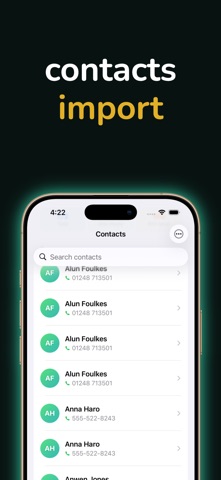
Easily import contacts from CSV, Excel, or vCard files and save them directly to your iPhone.


What it does
Export iPhone contacts to CSV, JSON or vCard
Easily import contacts from CSV, Excel, or vCard files and save them directly to your iPhone. Backup, transfer, and organize your contacts.
Import contacts from CSV, Excel (.xlsx) & vCard (.vcf)
Export contacts to CSV, JSON & vCard
Preview contacts before importing
Select & import only what you need
Smart duplicate detection
and secure all data stays on your device
Importing business leads
From the App Store listing
A look inside
Official listing screenshots. Select an image to view it larger.
Use cases and capabilities
Tasks this app is listed for
These points come from the current App Store description.
- Import contacts from CSV, Excel (.xlsx) & vCard (.vcf)
- Export contacts to CSV, JSON & vCard
- Preview contacts before importing
- Select & import only what you need
- Smart duplicate detection
- and secure all data stays on your device
Getting started
Check the listing, then try the app.
- Choose a CSV, Excel (.xlsx), or vCard (.vcf) file when importing, then preview the contact records.
- Select the contacts you want and review duplicate suggestions before importing them into the address book.
- For a backup, select contacts to export as CSV, JSON, or vCard, then save the resulting file somewhere you control.
These steps follow the features in the current App Store description. Exact controls can change between versions.
Need task-specific steps? A guide in the original archive covers this app.
Common questions
About Contacts Export & Import
Which file types can I import?
The listing names CSV, Excel (.xlsx), and vCard (.vcf) imports, with a preview and selective import.
Can I export contacts to Excel?
The listing names CSV, JSON, and vCard export formats. Excel is listed as an import format, not an export format.
More in Utilities
Related apps
UtilitiesContacts To XLSX, CSV, OutlookBackup and export your contacts in multiple formats with just one tap!Explore app  UtilitiesDelete Contacts: Swipe CleanerClean duplicate contacts in minutes — swipe, review, and organize your address book without the clutter.Explore app
 UtilitiesContact Cleaner & DeleteClean up your address book in minutes.Explore app
 UtilitiesContacts To Excel Sheet, CSVNever lose your important contacts again!Explore app