



 ProductivityPrayer lock - Pray Screen TimePray First.Explore app
Lifestyle app by Fenuku Kekeli
Pray Unlock: Salah Screen Time
Prayer lock is a Muslim-focused Screen Time app designed to help you stay consistent with your daily prayers by reducing phone distractions during Salah.


What it does
Block selected iPhone apps during Muslim prayer times
Prayer lock is a Muslim-focused Screen Time app designed to help you stay consistent with your daily prayers by reducing phone distractions during Salah.
In a world full of notifications and endless scrolling, Pray First helps you pause distractions and prioritize prayer at the right time.
Blocks selected distracting apps during prayer times Supports all five daily prayers: Fajr, Dhuhr, Asr, Maghrib, Isha Optional pre-prayer blocking to help you prepare mentally Customizable blocking duration after prayer Location-based prayer times Simple, calm, distraction-free design Powered by Apple Screen Time (no VPN, no hacks)
Built for Muslims, With Respect
Pray First is not about forcing behavior. It’s a gentle digital boundary that helps build consistency, focus, and discipline around Salah.
Enable or disable individual prayers
Choose which apps are blocked
Adjust blocking times anytime
From the App Store listing
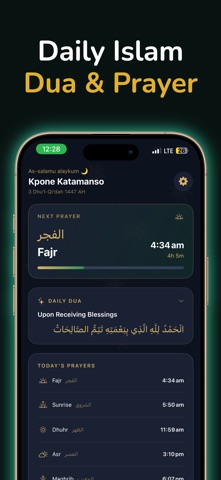
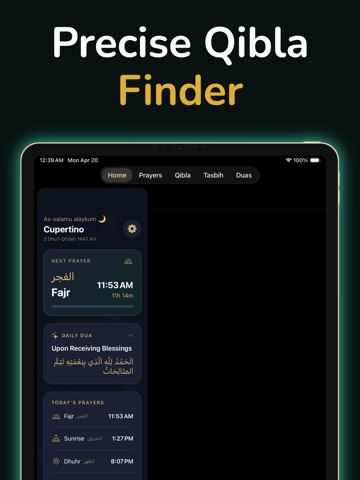
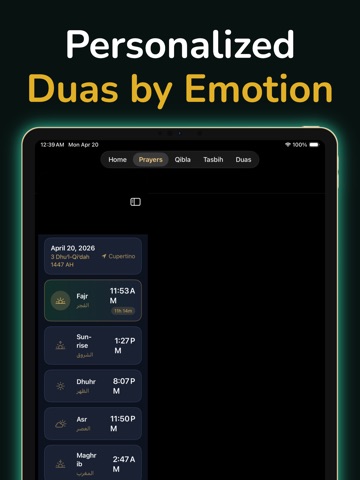
A look inside
Official listing screenshots. Select an image to view it larger.
Use cases and capabilities
Tasks this app is listed for
These points come from the current App Store description.
- In a world full of notifications and endless scrolling, Pray First helps you pause distractions and prioritize prayer at the right time.
- Blocks selected distracting apps during prayer times Supports all five daily prayers: Fajr, Dhuhr, Asr, Maghrib, Isha Optional pre-prayer blocking to help you prepare mentally Customizable blocking duration after prayer Location-based prayer times Simple, calm, distraction-free design Powered by Apple Screen Time (no VPN, no hacks)
- Built for Muslims, With Respect
- Pray First is not about forcing behavior. It’s a gentle digital boundary that helps build consistency, focus, and discipline around Salah.
- Enable or disable individual prayers
Getting started
Check the listing, then try the app.
- Select the distracting apps you want the app to restrict.
- Choose which prayer windows to enable and set any optional pre-prayer duration.
- Review the Screen Time setup and notification/location permissions, then adjust the windows to fit your routine.
These steps follow the features in the current App Store description. Exact controls can change between versions.
Common questions
About Pray Unlock: Salah Screen Time
Which apps does it block?
The listing says you choose the apps to restrict and can enable or disable individual prayer windows.
Can iPhone Screen Time do something similar?
Apple Screen Time supports scheduled Downtime and app limits. This app’s listing describes configuring restrictions around Salah; confirm the setup and current behavior in the app.
More in Lifestyle
Related apps
ProductivityPrayer lock - Pray Screen TimePray First.Explore app  UtilitiesScreen Time - Steps Unlock AppTake control of your screen time by earning access with movement.Explore app
 ProductivityScreen Time Control : DoUnlockMake distracting apps wait until your priorities are done.Explore app
 UtilitiesScreen Time Control -Deep WorkAchieve deep focus, block distractions, and get more done with Lock-In Focus Timer!Explore app