




 EducationStudy Timer For Student“Struggling to stay focused?Explore app
Productivity app by Fenuku Kekeli
Study Organizer For Students
Main Features (use bullet style):


What it does
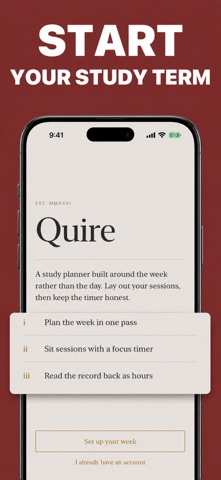
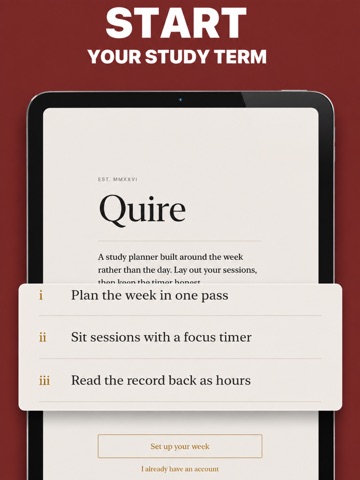
Student study organizer with study schedules and a customizable focus timer
Main Features (use bullet style):
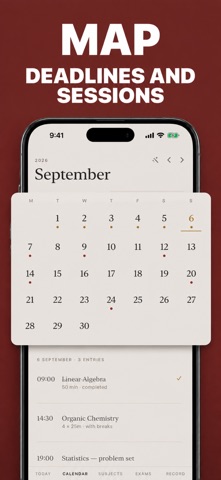
Smart Study Scheduling – Plan daily, weekly, or monthly sessions.
Focus Timer (Pomodoro) – Stay on track with customizable timers.
Progress Tracking – Measure completed hours and milestones.
Subject Manager – Organize topics by color and category.
Reminders & Notifications – Never miss a study session.
Dark/Light Themes – Customize your study experience.
Call-to-Action (closing): “Download Study Schedules today and transform the way you learn. Stay focused, stay organized, and achieve your goals.”
From the App Store listing
A look inside
Official listing screenshots. Select an image to view it larger.
Use cases and capabilities
Tasks this app is listed for
These points come from the current App Store description.
- Smart Study Scheduling – Plan daily, weekly, or monthly sessions.
- Focus Timer (Pomodoro) – Stay on track with customizable timers.
- Progress Tracking – Measure completed hours and milestones.
- Subject Manager – Organize topics by color and category.
- Reminders & Notifications – Never miss a study session.
Getting started
Check the listing, then try the app.
- Create subject categories and plan study sessions on a daily, weekly, or monthly schedule.
- Set a custom focus timer for a study block and add reminders for sessions you want to remember.
- Review completed hours and milestones to see what you logged; update the plan when your priorities change.
These steps follow the features in the current App Store description. Exact controls can change between versions.
Common questions
About Study Organizer For Students
Can I plan study sessions by month?
Yes. The listing describes daily, weekly, and monthly study scheduling.
Does it include a Pomodoro timer?
Yes. The listing describes a customizable focus timer using the Pomodoro approach.
More in Productivity
Related apps
EducationStudy Timer For Student“Struggling to stay focused?Explore app  GamesScore Point Counter For SkyjoSkyjo Scorekeeper - Your Ultimate Game CompanionExplore app
 UtilitiesFocus Timer For Productivity ®“Struggle to stay focused?Explore app
 Health & FitnessBreathing For Anxiety -Calm“breathing exercises, relaxation, stress relief, sleep, focus.”Explore app