


 UtilitiesWAV to MP3 - Audio ConverterConvert WAV audio into MP3 and keep your files easier to share, save, and play anywhere.Explore app
Photo & Video app by Fenuku Kekeli
WAV to M4A converter
Convert WAV files to M4A (AAC) and easily with a simple interface designed for all users.


What it does
WAV to M4A converter for AAC output on iPhone
Convert WAV files to M4A (AAC) and easily with a simple interface designed for all users.
Customize your audio output with options such as:
Bitrate control Quality optimization Efficient AAC encoding Batch Conversion
Convert multiple files at once to save time and improve productivity.
Import files directly from:
Files app Other apps via share sheet Local storage Export and Sharing Save converted files to your device Share via AirDrop, Messages, or email Use files in other apps Privacy Focused
All conversions happen on your device. No files are uploaded or stored externally.
No internet connection is required. Convert audio anytime, anywhere.
From the App Store listing
A look inside
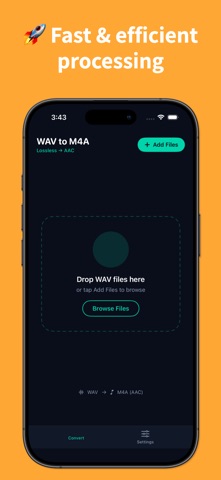
Official listing screenshots. Select an image to view it larger.
Use cases and capabilities
Tasks this app is listed for
These points come from the current App Store description.
- Customize your audio output with options such as:
- Bitrate control Quality optimization Efficient AAC encoding Batch Conversion
- Convert multiple files at once to save time and improve productivity.
- Import files directly from:
- Files app Other apps via share sheet Local storage Export and Sharing Save converted files to your device Share via AirDrop, Messages, or email Use files in other apps Privacy Focused
Getting started
Check the listing, then try the app.
- Import WAV files from Files, local storage, or an available share option.
- Choose M4A (AAC) and set any bitrate or quality options you need.
- Convert, then save or share the new files and check the audio.
These steps follow the features in the current App Store description. Exact controls can change between versions.
Common questions
About WAV to M4A converter
Will WAV to M4A reduce file size?
M4A using AAC is compressed, but the reduction depends on the source and selected settings.
Can I convert multiple WAV files together?
The listing describes batch conversion. Verify current selection limits and output controls.
More in Photo & Video
Related apps
UtilitiesWAV to MP3 - Audio ConverterConvert WAV audio into MP3 and keep your files easier to share, save, and play anywhere.Explore app  UtilitiesAudio Converter: MP3, WAV, M4AAudio Converter turns any sound file into the format you actually need no watermarks, no uploads, no waiting on a server.Explore app
 UtilitiesExcel to PDF Converter | XLSXExcel to PDF Converter is a tool designed to convert spreadsheet files into high-quality PDF documents.Explore app
 UtilitiesCSV to Excel ConverterCSV to Excel Converter is a simple tool that allows you to convert CSV files into Excel (XLSX) spreadsheets.Explore app