



 UtilitiesZip File & Media CompressorWhether you need a ZIP opener, a RAR extractor, or a powerful video compressor, our app handles everything with speed and security.Explore app
Utilities app by Fenuku Kekeli
Zip File – Zip, Unzip, Protect
Easily zip, unzip, and manage your files in one place!


What it does
IPhone ZIP file manager for archive extraction and file organization
Easily zip, unzip, and manage your files in one place!
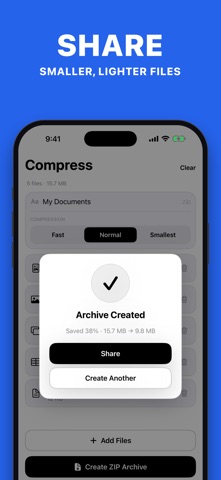
Zip File Manager is your all-in-one tool to compress, extract, and organize files. Whether you’re dealing with .zip.rar.7z, or other formats, this app makes file handling, secure, and simple on the go.
From the App Store listing
A look inside
Official listing screenshots. Select an image to view it larger.
Use cases and capabilities
Tasks this app is listed for
These points come from the current App Store description.
- Zip File Manager is your all-in-one tool to compress, extract, and organize files. Whether you’re dealing with .zip.rar.7z, or other formats, this app makes file handling, secure, and simple on the go.
Getting started
Check the listing, then try the app.
- Open a supported archive from Files or the app’s import flow.
- Review the archive contents and choose the extract action.
- To create an archive, select files and use the available ZIP/export controls.
These steps follow the features in the current App Store description. Exact controls can change between versions.
Need task-specific steps? A guide in the original archive covers this app.
How to Send Multiple Files Together on iPhone as a ZIP ↗
Common questions
About Zip File – Zip, Unzip, Protect
Can it open every archive format?
The listing mentions ZIP, RAR, and 7Z, but formats and paid features can vary. Check the current listing and test the file.
Does it protect files with a password?
The title refers to protection, but the reviewed description does not clearly specify the methods available. Verify the current in-app options.
More in Utilities
Related apps
UtilitiesZip File & Media CompressorWhether you need a ZIP opener, a RAR extractor, or a powerful video compressor, our app handles everything with speed and security.Explore app  UtilitiesAudio File Merger & JoinerMerge Audio Files – Join Audio is a powerful and easy-to-use tool that allows you to combine multiple audio files into one.Explore app
 UtilitiesAudio File To Text TranscribeStop typing and start recording.Explore app
 UtilitiesVideo file Size CompressorVideo Compressor Pro - Shrink Videos, Save Space!Explore app