


 UtilitiesShrink PDF Audio Video PhotoLarge files should not get in the way of sharing.Explore app
Utilities app by Fenuku Kekeli
Image to PDF - Photo to PDF
Convert Your Photos into High-Quality PDFs —, Easy & Offline!


What it does
Convert photos and images to PDF on iPhone
Convert Your Photos into High-Quality PDFs —, Easy & Offline! Photo to PDF – JPG PNG lets you convert your images (JPG, PNG, JPEG) into professional, high-quality PDF documents — all processed locally on your device, with no internet required.
Key Features: Convert JPG, PNG, JPEG images into PDF
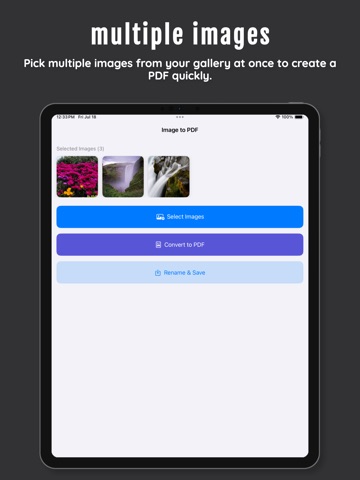
Select and reorder multiple photos at once
Preserve the original image quality
Choose PDF page size: A4, Letter, or Original
Share, save, or print your PDFs
Some features may require an in-app purchase.
From the App Store listing
A look inside
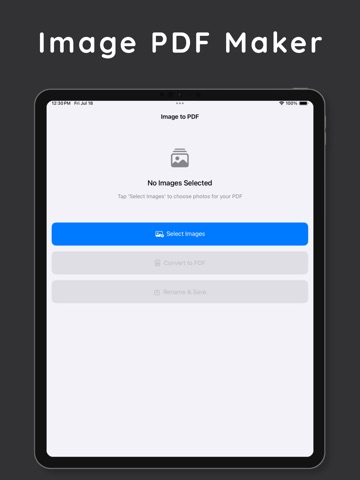
Official listing screenshots. Select an image to view it larger.
Use cases and capabilities
Tasks this app is listed for
These points come from the current App Store description.
- Key Features: Convert JPG, PNG, JPEG images into PDF
- Select and reorder multiple photos at once
- Preserve the original image quality
- Choose PDF page size: A4, Letter, or Original
- Share, save, or print your PDFs
Getting started
Check the listing, then try the app.
- Select JPG, PNG, or JPEG images and place them in the order you want them to appear.
- Choose A4, Letter, or Original page size, then review the pages before creating the PDF.
- Save, share, or print the PDF and open the exported copy to check its page order and appearance.
These steps follow the features in the current App Store description. Exact controls can change between versions.
Common questions
About Image to PDF - Photo to PDF
Can I combine several photos into one PDF?
Yes. The listing describes selecting and reordering multiple photos before converting them into a PDF.
Does the conversion need internet?
The listing says conversion happens offline on the device. Check current App Privacy details if you are handling sensitive images.
More in Utilities
Related apps
UtilitiesShrink PDF Audio Video PhotoLarge files should not get in the way of sharing.Explore app  UtilitiesPhoto Resizer - Resize ImagesPhoto Sizer makes it simple to resize, crop, compress, and convert images on your iPhone.Explore app
 UtilitiesPDF To Photo - PDF to JPEG,PNGNeed to turn a PDF into images?Explore app
 UtilitiesPhoto to PDF | PDF ConverterConvert your photos to high-quality PDF documents!Explore app