




 SportsSwimming Lap TimerTrack your swimming laps, time, and performance with ease.Explore app
Utilities app by Fenuku Kekeli
Lap Counter - Run, Swim, Cycle
Lap Counter – Simple & Lap Tracking


What it does
Track and export lap times on iPhone
Lap Counter – Simple & Lap Tracking
Stay focused on your training while Lap Counter does the counting for you. Whether you’re running, swimming, cycling, or in the gym, this app makes it easy to track laps, times, and progress.
One-tap lap counting & stopwatch
Supports running, swimming, cycling, gym workouts & more
Clean, minimalist design easy to use even while moving
View total laps, times, and averages
Export lap data in CSV, JSON, or TXT
Works offline — no sign-up required
From the App Store listing
A look inside
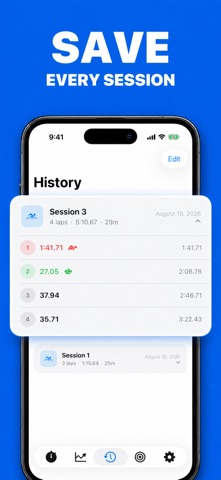
Official listing screenshots. Select an image to view it larger.
Use cases and capabilities
Tasks this app is listed for
These points come from the current App Store description.
- Stay focused on your training while Lap Counter does the counting for you. Whether you’re running, swimming, cycling, or in the gym, this app makes it easy to track laps, times, and progress.
- One-tap lap counting & stopwatch
- Supports running, swimming, cycling, gym workouts & more
- Clean, minimalist design easy to use even while moving
- View total laps, times, and averages
Getting started
Check the listing, then try the app.
- Start the stopwatch for a run, swim, cycling session, gym workout, or other lap-based activity.
- Tap once at each lap boundary and review the total laps, times, and averages after the session.
- Export the saved lap data as CSV, JSON, or TXT and open the file to check the recorded values.
These steps follow the features in the current App Store description. Exact controls can change between versions.
Need task-specific steps? A guide in the original archive covers this app.
Common questions
About Lap Counter - Run, Swim, Cycle
Can I export lap times to a spreadsheet?
The listing says lap data can be exported as CSV, JSON, or TXT. A CSV file can be opened in a spreadsheet app.
Does the listing say timing continues in the background?
The listing says the app works offline, but it does not specify background timing behavior. Verify that behavior in the current version before relying on it during a workout.
More in Utilities
Related apps
SportsSwimming Lap TimerTrack your swimming laps, time, and performance with ease.Explore app  UtilitiesTally Counter · Click & TrackThe ultimate tally counter app for, counting.Explore app
 Health & FitnessPush Up Rep CounterStop counting reps in your head.Explore app
 GamesScore Point Counter For SkyjoSkyjo Scorekeeper - Your Ultimate Game CompanionExplore app