




 UtilitiesWord to PDF Converter - DOCConvert Word documents to PDF.Explore app
Utilities app by Fenuku Kekeli
PDF Merger - Combine & Join
The Ultimate PDF Merger Tool for iPhone & iPad


What it does
Merge multiple PDF files into one on iPhone
The Ultimate PDF Merger Tool for iPhone & iPad
Merge multiple PDF documents into one with our powerful, easy-to-use PDF merger app. Perfect for students, professionals, and anyone who needs to combine PDF files and securely.
KEY FEATURES PDF MERGING
Combine multiple PDF files into a single document
Merge unlimited PDFs with simple drag-and-drop interface
Join PDF files from various sources - iCloud, Photos, Files app, or email attachments
Intuitive design that makes PDF merging accessible to everyone
From the App Store listing
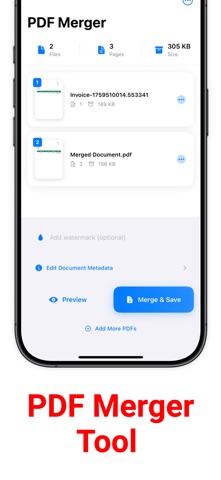
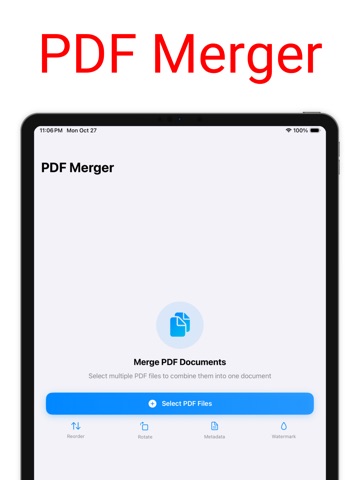
A look inside
Official listing screenshots. Select an image to view it larger.
Use cases and capabilities
Tasks this app is listed for
These points come from the current App Store description.
- Combine multiple PDF files into a single document
- Merge unlimited PDFs with simple drag-and-drop interface
- Join PDF files from various sources - iCloud, Photos, Files app, or email attachments
- Intuitive design that makes PDF merging accessible to everyone
Getting started
Check the listing, then try the app.
- Select the PDFs you want to combine from Files, iCloud, Photos, or an email attachment.
- Arrange the files in the order you want if the app’s drag-and-drop control is available.
- Merge the PDFs, then open the finished document and check the page order before sharing it.
These steps follow the features in the current App Store description. Exact controls can change between versions.
Common questions
About PDF Merger - Combine & Join
Can I combine PDFs from different sources?
The listing says files can come from iCloud, Photos, the Files app, or email attachments.
Can I reorder pages while merging?
The listing describes a drag-and-drop interface for the PDFs. Check the finished document to make sure the source order is correct.
More in Utilities
Related apps
UtilitiesWord to PDF Converter - DOCConvert Word documents to PDF.Explore app  UtilitiesPDF to Word Converter - DocConvert your PDF files back into fully editable Word documents.Explore app
 UtilitiesAudio File Merger & JoinerMerge Audio Files – Join Audio is a powerful and easy-to-use tool that allows you to combine multiple audio files into one.Explore app
 UtilitiesHighlight PDF - Markup NotesHighlight, annotate, and organize your PDF documents with PDF Highlighter & Annotator — the powerful tool designed for students, professionals, researchers, and everyday users who work with PDFs daily.Explore app