


 UtilitiesPDF to Word Converter - DocConvert your PDF files back into fully editable Word documents.Explore app
Utilities app by Fenuku Kekeli
Word to PDF Converter - DOC
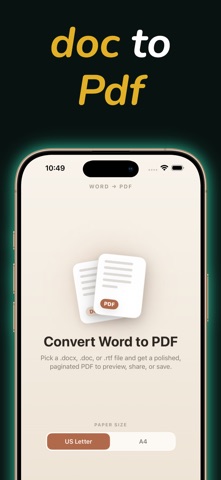
Convert Word documents to PDF.


What it does
Word document to PDF converter for DOC, DOCX, TXT, and RTF
Convert Word documents to PDF. A document utility for iPhone and iPad.
Docx to PDF Conversion Convert classic .doc, modern .docx, text, and RTF files into professional, secure PDF documents with a single tap.
Document Viewer & Reader Open, read, and review files inside a lightweight interface built for scrolling and navigation.
Smart File Management & Export Keep your documents organized. Share, email, print, or export your converted files directly to iCloud Drive, Files, or local storage.
From the App Store listing
A look inside
Official listing screenshots. Select an image to view it larger.
Use cases and capabilities
Tasks this app is listed for
These points come from the current App Store description.
- Docx to PDF Conversion
- Document Viewer & Reader
- Smart File Management & Export
- Privacy-First Local Processing
Getting started
Check the listing, then try the app.
- Choose a DOC, DOCX, TXT, or RTF document from Files or another supported source.
- Start PDF conversion and inspect for missing fonts, changed tables, or shifted layout.
- Save the PDF to Files or share it to the destination you need.
These steps follow the features in the current App Store description. Exact controls can change between versions.
Need task-specific steps? A guide in the original archive covers this app.
How to Convert a Word Document to PDF on iPhone and Check the Layout ↗
Common questions
About Word to PDF Converter - DOC
Which Word formats are listed?
The listing names DOC and DOCX, plus text and RTF input.
Will the PDF always preserve the exact layout?
The listing claims formatting preservation, but fonts and complex layouts can render differently. Check the exported PDF before sending.
More in Utilities
Related apps
UtilitiesPDF to Word Converter - DocConvert your PDF files back into fully editable Word documents.Explore app  UtilitiesExcel to PDF Converter | XLSXExcel to PDF Converter is a tool designed to convert spreadsheet files into high-quality PDF documents.Explore app
 UtilitiesMarkdown to PDF .md ConverterConvert Markdown files into beautiful, professional PDF documents with ease.Explore app
 UtilitiesCSV To PDF ConverterConvert your CSV files into clean, professional PDFs.Explore app