

 UtilitiesSign On PDF Documents & FormsSign On PDF Documents & Forms helps you fill, sign, scan, and send PDF documents from your iPhone or iPad without printing.Explore app
Utilities app by Fenuku Kekeli
Text to PDF - Text document
Turn your text and photos into high-quality PDFs.


What it does
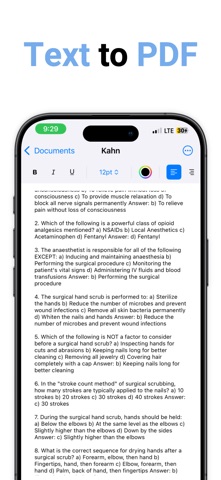
Offline text and photo to PDF creator with editing and document search
Turn your text and photos into high-quality PDFs. Write, paste, or snap an image then save or share your custom PDF. No ads. No watermarks. Fully offline.
New Features Added: 1. Advanced Sorting & Organization
Multiple sort options: Title, Modified Date, Created Date, Word Count Sort direction toggle: Ascending/Descending Document statistics: Shows count and current sort method Enhanced search: Now searches both titles and document content
2. Document Statistics & Analytics
Word count calculation: Real-time word counting Character counting: With and without spaces Paragraph counting: Number of paragraphs Document info sheet: Detailed statistics view
3. Find & Replace Functionality
Find and Replace bar: Toggle on/off from menu Case-insensitive search: Finds text regardless of case Replace All: Bulk replacement functionality Clean interface: Integrated into the editor toolbar
4. Enhanced Export Options
From the App Store listing
A look inside
Official listing screenshots. Select an image to view it larger.
Use cases and capabilities
Tasks this app is listed for
These points come from the current App Store description.
- Advanced Sorting & Organization
- Document Statistics & Analytics
- Find & Replace Functionality
- Enhanced Export Options
- Improved Text Editor
- Better User Experience
Getting started
Check the listing, then try the app.
- Start a document by typing or pasting text, or add a photo if you want it included in the PDF.
- Use search, find and replace, or document statistics to review the text before export.
- Choose PDF for sharing or printing, or export RTF or plain text when you need an editable text file.
These steps follow the features in the current App Store description. Exact controls can change between versions.
Common questions
About Text to PDF - Text document
Can I create a PDF from a photo?
Yes. The listing describes adding a photo or image and saving the document as a PDF.
Can I export a document as something other than PDF?
Yes. The listing also describes RTF and plain-text export.
More in Utilities
Related apps
UtilitiesSign On PDF Documents & FormsSign On PDF Documents & Forms helps you fill, sign, scan, and send PDF documents from your iPhone or iPad without printing.Explore app  EducationVoice to Text - Speech NotesTurn your voice into text with Voice to Text — the, simple, and powerful speech transcription app designed to help you capture ideas, notes, conversations, and important moments without typing.Explore app
 UtilitiesPDF to Word Converter - DocConvert your PDF files back into fully editable Word documents.Explore app
 UtilitiesAudio File To Text TranscribeStop typing and start recording.Explore app