


 UtilitiesPDF Maker - Editor & ConverterPDF Maker turns your iPhone into a full document workflow — scan, edit, convert, and share professional PDFs.Explore app
Utilities app by Fenuku Kekeli
CSV Maker, Viewer & Editor
Create, open, edit, and export CSV files on iPhone and iPad.


What it does
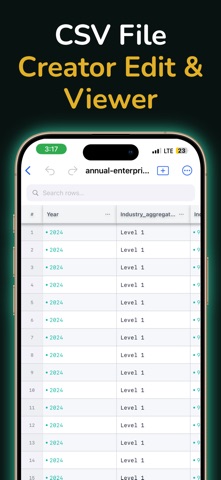
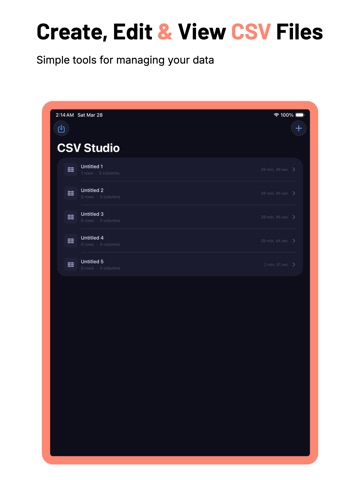
Create and edit a CSV file on iPhone
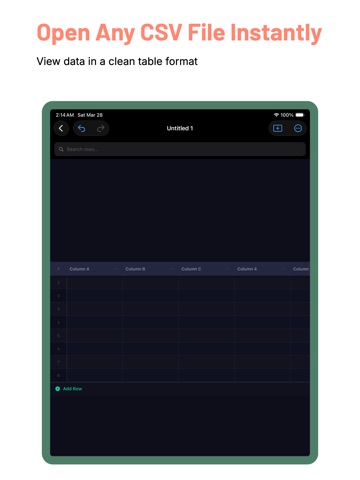
Create, open, edit, and export CSV files on iPhone and iPad. View rows and columns in a clean table layout, make changes, and share updated files anywhere.
Open and edit existing spreadsheets
Update rows, columns, and cells easily
Import files and export them
From the App Store listing
A look inside
Official listing screenshots. Select an image to view it larger.
Use cases and capabilities
Tasks this app is listed for
These points come from the current App Store description.
- Create new CSV files
- Open and edit existing spreadsheets
- Update rows, columns, and cells easily
- Import files and export them
- Work offline for edits
Getting started
Check the listing, then try the app.
- Create a new CSV or open an existing CSV file from a location available in the app.
- Edit the rows, columns, or cell values you need to change, then check that the table still has the intended headers and values.
- Export the updated CSV and open the saved copy in the app or another spreadsheet tool to confirm it.
These steps follow the features in the current App Store description. Exact controls can change between versions.
Need task-specific steps? A guide in the original archive covers this app.
How to Create a CSV File on iPhone and Export a Clean Table ↗
Common questions
About CSV Maker, Viewer & Editor
Can I edit an existing CSV file?
Yes. The listing says the app can create, open, edit, and export CSV files, including changes to rows, columns, and cells.
Can I make quick edits while offline?
The listing says the app works offline for quick edits. Confirm that the file itself is available on the device before disconnecting.
More in Utilities
Related apps
UtilitiesPDF Maker - Editor & ConverterPDF Maker turns your iPhone into a full document workflow — scan, edit, convert, and share professional PDFs.Explore app  UtilitiesVideo to GIF Creator & EditorTurn videos, Live Photos, and burst photos into share-ready GIFs.Explore app
 UtilitiesMind Map Maker - Concept MapTurn Ideas into Clear Visual MapsExplore app
 UtilitiesSpreadsheet maker: view & editCreate powerful spreadsheets with a easy-to-use XLSX creator.Explore app