




 UtilitiesPDF Maker - Editor & ConverterPDF Maker turns your iPhone into a full document workflow — scan, edit, convert, and share professional PDFs.Explore app
Utilities app by Fenuku Kekeli
Mind Map Maker - Concept Map
Turn Ideas into Clear Visual Maps


What it does
Make a mind map or concept map on iPhone
Turn Ideas into Clear Visual Maps
Organize your thoughts, plan projects, and brainstorm ideas with Mind Map Brainstorm & Ideas.
Create beautiful mind maps to connect ideas, improve focus, and think clearly.
Visual idea organization
Clean and intuitive interface
Perfect for brainstorming
Organize thoughts and concepts
Start with one idea and expand into a full mind map.
From the App Store listing
A look inside
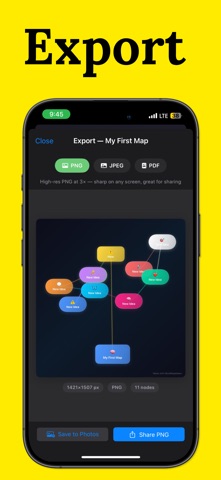
Official listing screenshots. Select an image to view it larger.
Use cases and capabilities
Tasks this app is listed for
These points come from the current App Store description.
- Create mind maps easily
- Visual idea organization
- Add branches and nodes
- Clean and intuitive interface
- Perfect for brainstorming
- Organize thoughts and concepts
Getting started
Check the listing, then try the app.
- Start a mind map with the main topic or idea you want to organize.
- Add branches and nodes for related ideas, then edit their labels as the map develops.
- Review the visual map to group related concepts or plan a project; check the current app for its save and export options.
These steps follow the features in the current App Store description. Exact controls can change between versions.
Common questions
About Mind Map Maker - Concept Map
Can I add branches to a mind map?
Yes. The listing describes adding branches and nodes and editing a mind map.
Can I export or share the finished map?
The public listing does not specify export or sharing formats. Check the current app before choosing it for a workflow that requires a particular file.
More in Utilities
Related apps
UtilitiesPDF Maker - Editor & ConverterPDF Maker turns your iPhone into a full document workflow — scan, edit, convert, and share professional PDFs.Explore app  UtilitiesCSV Maker, Viewer & EditorCreate, open, edit, and export CSV files on iPhone and iPad.Explore app
 UtilitiesSpreadsheet maker: view & editCreate powerful spreadsheets with a easy-to-use XLSX creator.Explore app
 UtilitiesMarquee LED Sign MakerTransform Your Phone into a LED Banner Display!Explore app