

 UtilitiesWord to PDF Converter - DOCConvert Word documents to PDF.Explore app
Utilities app by Fenuku Kekeli
PDF Maker - Editor & Converter
PDF Maker turns your iPhone into a full document workflow — scan, edit, convert, and share professional PDFs.


What it does
Create, edit and convert PDF files on iPhone
PDF Maker turns your iPhone into a full document workflow — scan, edit, convert, and share professional PDFs.
Advanced image processing for professional results
Auto-edge detection & perspective correction
Multiple scan quality options (High, Medium, Low)
Auto-enhance for better readability
Brightness & contrast optimization
Rotate & crop for perfect alignment
Easy rotation (90°, 180°, custom)
From the App Store listing
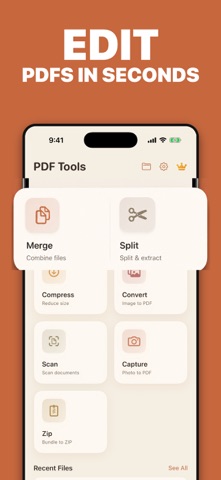
A look inside
Official listing screenshots. Select an image to view it larger.
Use cases and capabilities
Tasks this app is listed for
These points come from the current App Store description.
- Advanced image processing for professional results
- Auto-edge detection & perspective correction
- Multiple scan quality options (High, Medium, Low)
- Auto-enhance for better readability
- Brightness & contrast optimization
- Rotate & crop for perfect alignment
Getting started
Check the listing, then try the app.
- Scan a page and check the detected edges, perspective, and selected scan quality.
- Enhance brightness or contrast, rotate or crop the page, then add other pages and reorder them into the intended document.
- Export the finished PDF at the quality you need; use password protection only if the current app supports it for that file.
These steps follow the features in the current App Store description. Exact controls can change between versions.
Common questions
About PDF Maker - Editor & Converter
Can I combine and reorder multiple scanned pages?
The listing describes multi-page documents, batch processing, and page reordering.
Can I protect a PDF with a password?
The listing says password protection is available. Check the current export settings and keep the password somewhere safe.
More in Utilities
Related apps
UtilitiesWord to PDF Converter - DOCConvert Word documents to PDF.Explore app  UtilitiesExcel to PDF Converter | XLSXExcel to PDF Converter is a tool designed to convert spreadsheet files into high-quality PDF documents.Explore app
 UtilitiesCSV Maker, Viewer & EditorCreate, open, edit, and export CSV files on iPhone and iPad.Explore app
 UtilitiesMarkdown to PDF .md ConverterConvert Markdown files into beautiful, professional PDF documents with ease.Explore app